• Skip to main content
Mary Wiseman
  • START HERE
  • BLOG
  • SPEAKER
  • VIDEOS
  • ABOUT

izzy

QR Codes Used in Lab Settings

September 23, 2012 by izzy

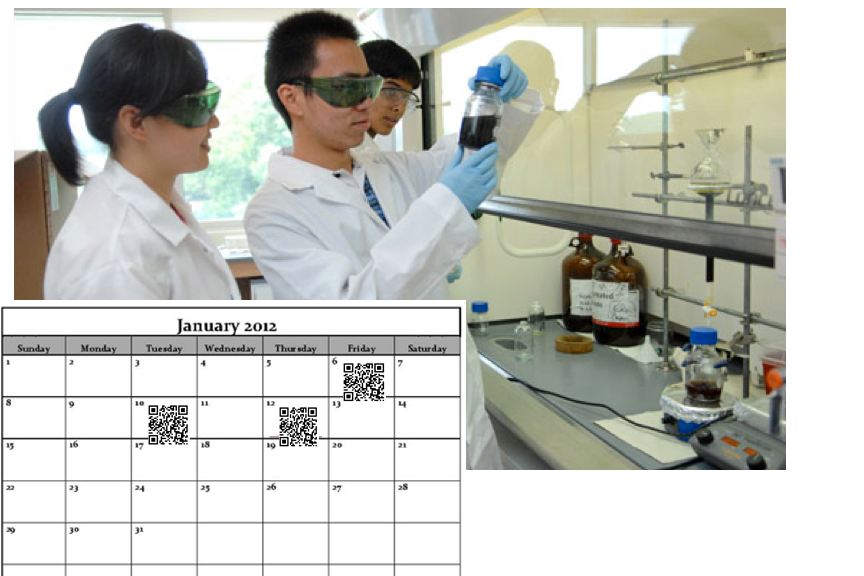
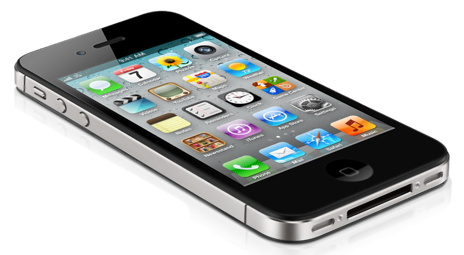
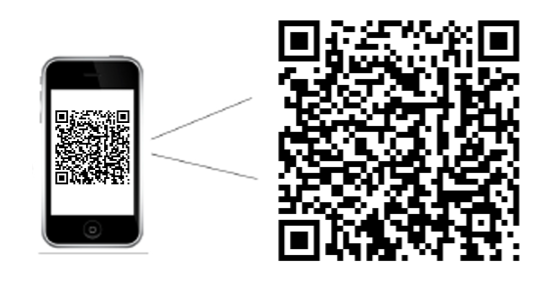
Since labs are often difficult to make-up, labs can be video recorded and QR [Quick Response] codes can be applied to a lab calendar. Students are able to scan the QR code to download the lab.

Additionally, difficult procedures can be recorded by video and/or audio and added to lab handouts for distribution before, during or after class.
Filed Under: Design, Higher Education, QR Codes

3 Easy Ways to Use Mobile Devices for Learning

July 18, 2012 by izzy

The Guardian US recently mentioned “the growth in online learning is likely to push universities towards greater emphasis on one-to-one tuition and other interaction with students.”  In my mind meaning, a personalization of learning and what better way to personalize and connect with your online students than by using mobile devices.

Which really isn’t much different than working one-to-one with students, except now we have great tools to interact with our students and primary amongst them are mobile devices.

So, how are you using mobile technology in your classroom?  Whether you meet online or in person, there are techniques you can implement.

1.  Push Messages:

Use automated text messages [or voice messages] to connect with your students.  Call Loop is a free [or nearly free] service that is easy to use and integrates with services you might already be using.

  • Use it to remind students: of assignments that are due, dates and times of tests or just to check-in.  Personalize the learning experience for your students and you’ll find deeper learning.

2.  QR [Quick Response] Codes:

Think of these as the ‘wild child’ of the Bar Code. QR codes hold so much more information.  Scanning apps can be downloaded to mobile devices and used to scan any QR code you pre-load.

  • Post your homework, outside your classroom and train students to scan the code-everytime they come to class.
  • Use QR Codes to link to more intense reading, video or online experiences.

3.  Cameras & Apps:

Challenge yourself and your students to use the cameras and apps on your mobile device to create:

  • videos
  • podcasts
  • even virtual meetings

The bottom line is to just get started using mobile devices within your online course.  Make a list of 3 more things you could do to integrate mobile devices within your online learning.  Start small and get going.  Let me know if I can assist you in any way. 

Filed Under: Design, Mobile, Mobile Learning Tagged With: Mobile, Mobile Learning

WordCamp Boston 2012

July 14, 2012 by izzy

    Just got back from a really refreshing day in Boston at WordCamp 2012.  It is always nice to meet new friends and hear about new ideas concerning WordPress plugins, templates, development, marketing, SEO, and design. It was less than a month ago that we checked out WordCamp NYC.  Now we have PodCamp Boston to look forward to this fall …which appears to be taking on a new look and feel: PodCamp East….which appears to be in Wilmington, DE.

Filed Under: PodCampBoston, WordCamp Boston, WordCampNYC Tagged With: PodCamp Boston, PodCamp East, WordCamp, WordPress

Fruits in Season

June 8, 2012 by izzy

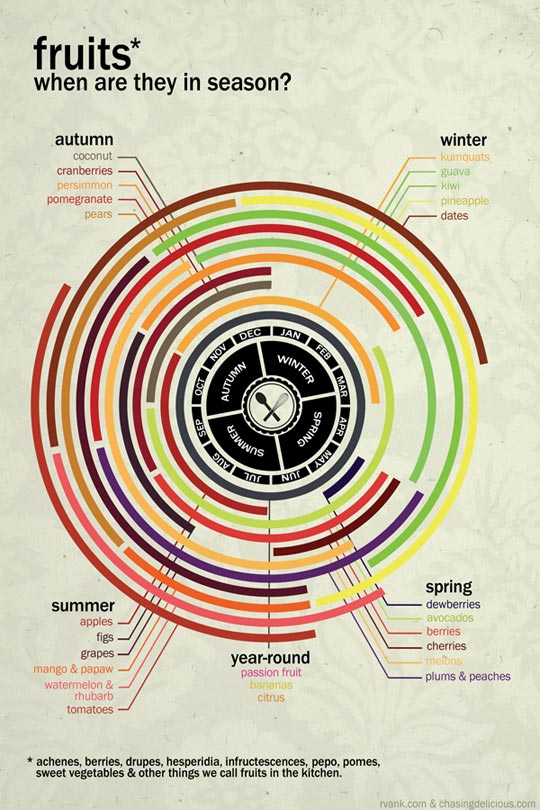
Our TownFarm share opens this week and I’m excited to get our very first pick up of this season. I just came across this lovely graphic chart which shows fruits in season. While we won’t have much fruit until later this summer, I’ll be focusing on these from Chasing Delicious.

Filed Under: Fun

A Letterpress Film

June 7, 2012 by izzy

When I first started my graphic design career, I learned letterpress and actually miss the whole process.  This little film is a really nice throwback.  Have a peek.

Filed Under: Letterpress, Typography Tagged With: Typography

2012 Graduation

June 4, 2012 by izzy

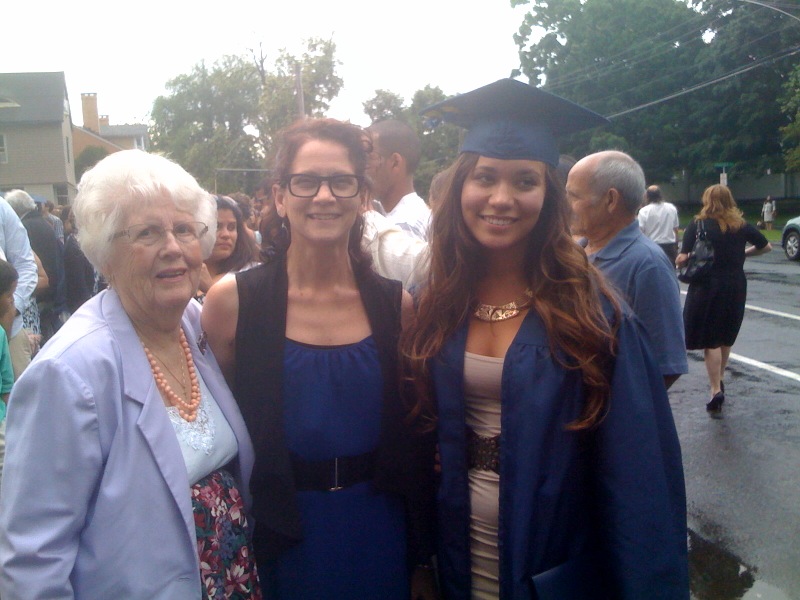
Here’s our 2012 Graduate.

So glad Mom could make it as well.

Filed Under: Fun

  • « Go to Previous Page
  • Go to page 1
  • Interim pages omitted …
  • Go to page 6
  • Go to page 7
  • Go to page 8
  • Go to page 9
  • Go to page 10
  • Interim pages omitted …
  • Go to page 41
  • Go to Next Page »

© 2024 Mary Wiseman Designs. All Rights Reserved. Webspinner Msondevshop.graphics